Add a Custom Task in LeIsaac
This tutorial walks you through adding a custom task and environment in LeIsaac so you can build a variety of tasks based on it.
1. Prepare the USD Scene
Every task environment in LeIsaac is tied to a USD scene. We assume you already have a USD file for your environment. If not, you can reuse the example scene that contains a table, a red cube, and a box. The example scene can be downloaded here.
The scene USD only needs to describe the scene itself; no robot assets are required. Once downloaded, place the file under assets/scenes in the project root.
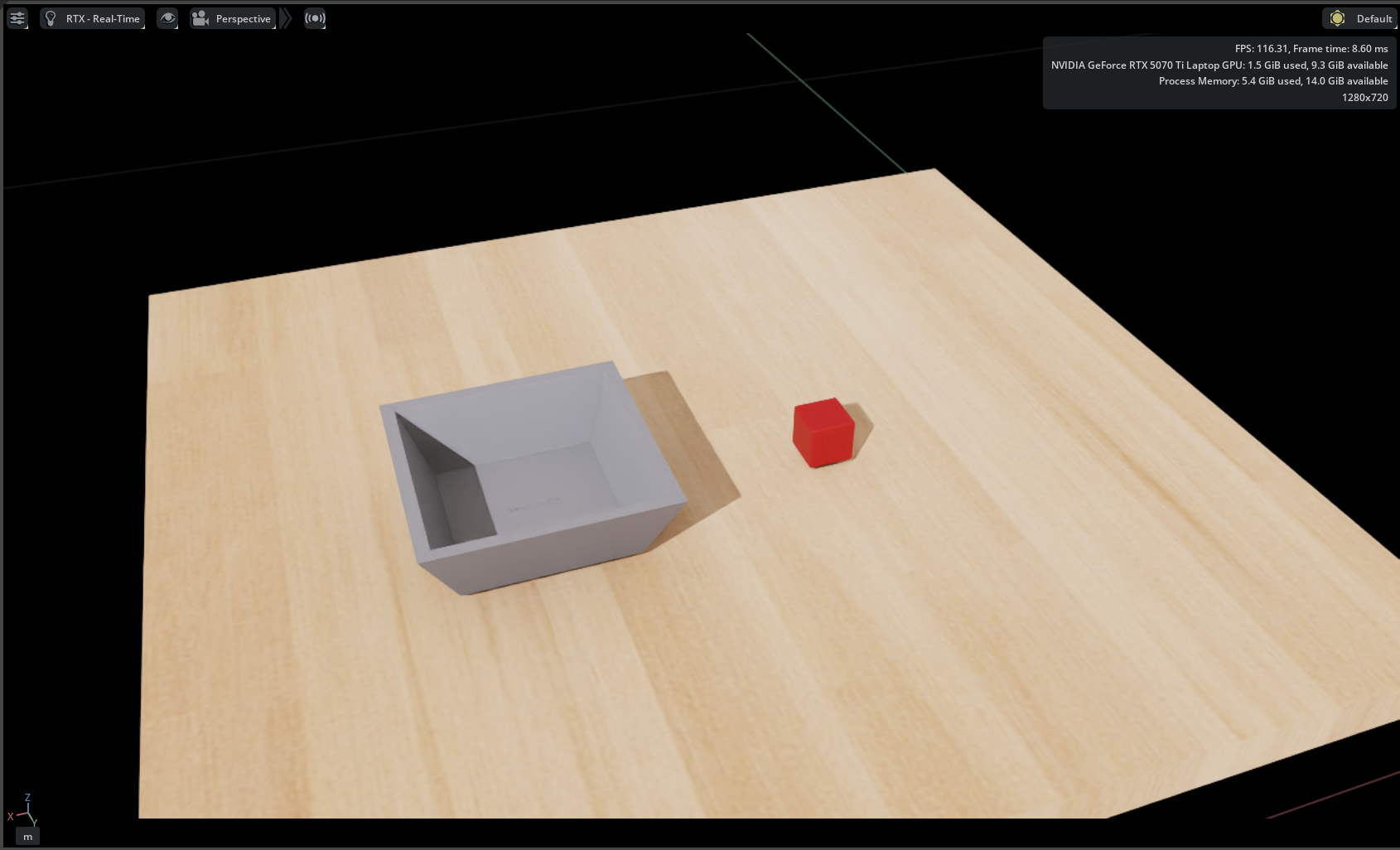 Example scene layout in Isaac Sim.
2. Add Asset Configuration
Once the scene file is ready, add the asset configuration in code. The root of the LeIsaac source is source/leisaac/leisaac.
In source/leisaac/leisaac, create assets/scenes/custom_scene.py with:
from pathlib import Path

import isaaclab.sim as sim_utils
from isaaclab.assets import AssetBaseCfg
from leisaac.utils.constant import ASSETS_ROOT

"""Configuration for the Custom Scene"""
SCENES_ROOT = Path(ASSETS_ROOT) / "scenes"

CUSTOM_SCENE_USD_PATH = str(SCENES_ROOT / "custom_scene" / "scene.usd")

CUSTOM_SCENE_CFG = AssetBaseCfg(
    spawn=sim_utils.UsdFileCfg(
        usd_path=CUSTOM_SCENE_USD_PATH,
    )
)
CUSTOM_SCENE_USD_PATH points to the USD entry file for the scene. You can rename the file or variables as needed, just update the references accordingly.
3. Implement the Task Code
Next, implement the task logic. LeIsaac ships task templates for different robots (see the templates for more details). In this example we use the SO101 follower in a single-arm task: pick up the red cube and place it into the box.
Create tasks/custom_task/custom_task_env_cfg.py:
import torch

from isaaclab.assets import AssetBaseCfg, RigidObject
from isaaclab.managers import SceneEntityCfg
from isaaclab.managers import TerminationTermCfg as DoneTerm
from isaaclab.utils import configclass

from leisaac.assets.scenes.custom_scene import CUSTOM_SCENE_CFG, CUSTOM_SCENE_USD_PATH
from leisaac.utils.general_assets import parse_usd_and_create_subassets
from leisaac.utils.domain_randomization import domain_randomization, randomize_object_uniform

from ..template import (
    SingleArmObservationsCfg,
    SingleArmTaskEnvCfg,
    SingleArmTaskSceneCfg,
    SingleArmTerminationsCfg,
)


@configclass
class CustomTaskSceneCfg(SingleArmTaskSceneCfg):
    """Scene configuration for the custom task."""

    scene: AssetBaseCfg = CUSTOM_SCENE_CFG.replace(prim_path="{ENV_REGEX_NS}/Scene")


def cube_in_box(env, cube_cfg: SceneEntityCfg, box_cfg: SceneEntityCfg, x_range: tuple[float, float], y_range: tuple[float, float], height_threshold: float):
    """Termination condition for the object in the box."""
    done = torch.ones(env.num_envs, dtype=torch.bool, device=env.device)

    box: RigidObject = env.scene[box_cfg.name]
    box_x = box.data.root_pos_w[:, 0] - env.scene.env_origins[:, 0]
    box_y = box.data.root_pos_w[:, 1] - env.scene.env_origins[:, 1]

    cube: RigidObject = env.scene[cube_cfg.name]
    cube_x = cube.data.root_pos_w[:, 0] - env.scene.env_origins[:, 0]
    cube_y = cube.data.root_pos_w[:, 1] - env.scene.env_origins[:, 1]
    cube_z = cube.data.root_pos_w[:, 2] - env.scene.env_origins[:, 2]

    done = torch.logical_and(done, cube_x < box_x + x_range[1])
    done = torch.logical_and(done, cube_x > box_x + x_range[0])
    done = torch.logical_and(done, cube_y < box_y + y_range[1])
    done = torch.logical_and(done, cube_y > box_y + y_range[0])
    done = torch.logical_and(done, cube_z < height_threshold)

    return done


@configclass
class TerminationsCfg(SingleArmTerminationsCfg):
    """Termination configuration for the custom task."""
    success = DoneTerm(
        func=cube_in_box,
        params={
            "cube_cfg": SceneEntityCfg("cube"),
            "box_cfg": SceneEntityCfg("box"),
            "x_range": (-0.05, 0.05),
            "y_range": (-0.05, 0.05),
            "height_threshold": 0.10,
        },
    )


@configclass
class CustomTaskEnvCfg(SingleArmTaskEnvCfg):
    """Configuration for the custom task environment."""

    scene: CustomTaskSceneCfg = CustomTaskSceneCfg(env_spacing=8.0)

    observations: SingleArmObservationsCfg = SingleArmObservationsCfg()

    terminations: TerminationsCfg = TerminationsCfg()

    task_description: str = "pick up the red cube and place it into the box."

    def __post_init__(self) -> None:
        super().__post_init__()

        self.viewer.eye = (-0.2, -1.0, 0.5)
        self.viewer.lookat = (0.6, 0.0, -0.2)

        self.scene.robot.init_state.pos = (0.35, -0.64, 0.01)

        parse_usd_and_create_subassets(CUSTOM_SCENE_USD_PATH, self)

        domain_randomization(
            self,
            random_options=[
                randomize_object_uniform(
                    "cube",
                    pose_range={
                        "x": (-0.05, 0.05),
                        "y": (-0.05, 0.05),
                        "z": (0.0, 0.0),
                    },
                ),
                randomize_object_uniform(
                    "box",
                    pose_range={
                        "x": (-0.05, 0.05),
                        "y": (-0.05, 0.05),
                        "z": (0.0, 0.0),
                    },
                ),
            ],
        )
Here are some notes on the code:
CustomTaskSceneCfginheritsSingleArmTaskSceneCfgand sets thescenefield toCUSTOM_SCENE_CFG.TerminationsCfginheritsSingleArmTerminationsCfg. It keeps the default timeout and addscube_in_box, which checks cube and box positions to decide success of task.CustomTaskEnvCfginheritsSingleArmTaskEnvCfgand suppliesscene,observations, andterminations. The default observations include joint positions/velocities, actions, and more. You can also add any custom observations you need.- In
__post_init__, you can further adjust the environment configuration:viewer.eye/viewer.lookatdefine the IsaacSim UI viewport when you launch this task.scene.robot.init_state.possets the robot spawn pose.parse_usd_and_create_subassetsextracts sub-assets from the USD into the interactive scene.domain_randomizationadds randomness; for example,randomize_object_uniformjitters object poses within a range at every reset.
4. Register the Environment
Finally, register the task environment by adding tasks/custom_task/__init__.py:
import gymnasium as gym

gym.register(
    id="LeIsaac-SO101-CustomTask-v0",
    entry_point="isaaclab.envs:ManagerBasedRLEnv",
    disable_env_checker=True,
    kwargs={
        "env_cfg_entry_point": f"{__name__}.custom_task_env_cfg:CustomTaskEnvCfg",
    },
)
5. Run Your Task
With the task registered, launch it with the standard scripts. For example, start it via the teleoperation script:
python scripts/environments/teleoperation/teleop_se3_agent.py \
    --task=LeIsaac-SO101-CustomTask-v0 \
    --teleop_device=so101leader \
    --num_envs=1 \
    --device=cuda \
    --enable_cameras
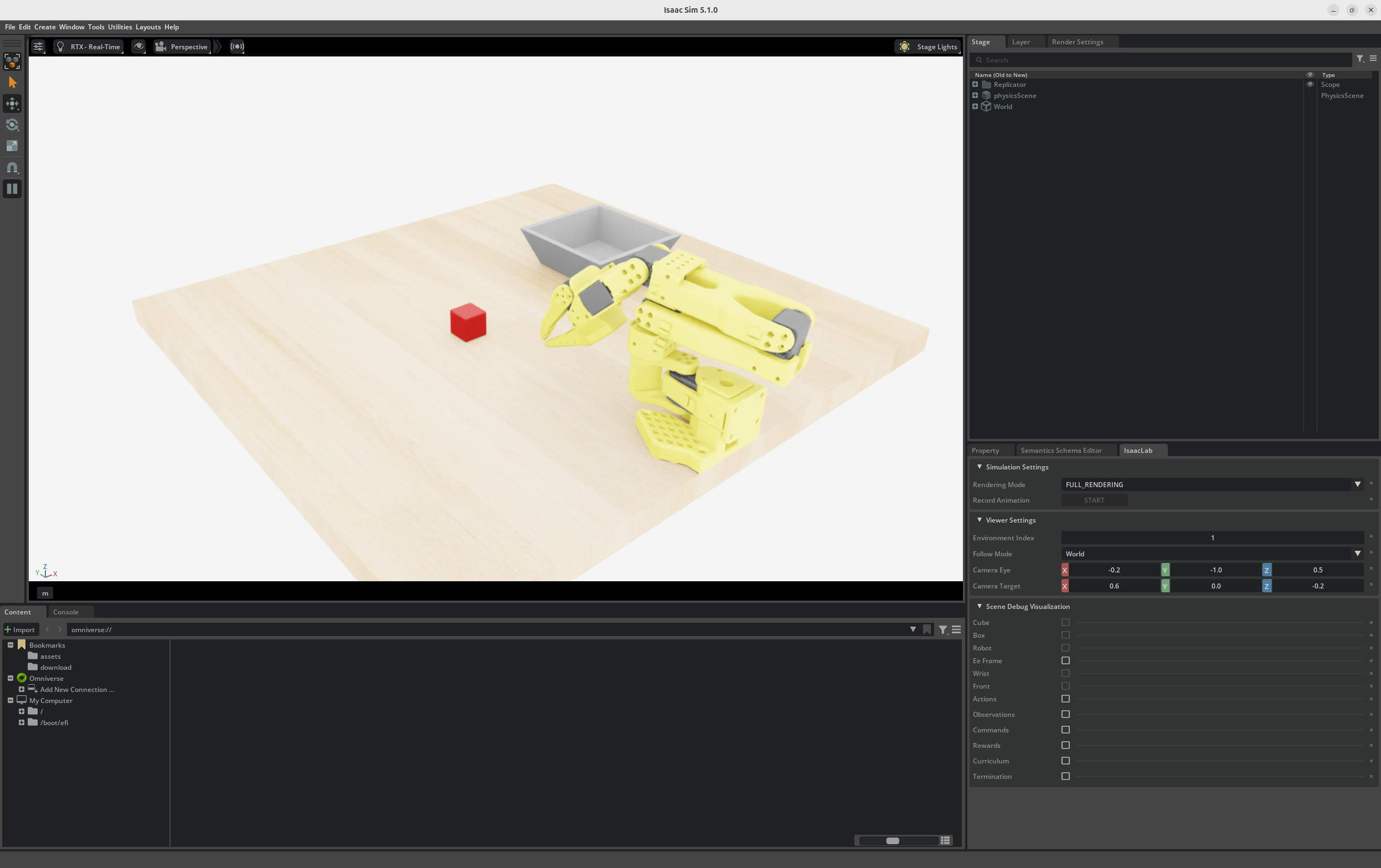 Custom task running with teleoperation.